Approving of incoming invoices
Bi4Approve Faktury – incoming invoices under control
with import into accounting
Why to have invoice
approval apps?
Approving incoming invoices is an integral part of every company. However, in order to be effective, it should be agile and, most importantly, reliable. It is for this purpose that the Bi4Approve Invoices application was created, which not only clarifies the work with invoices, but also saves the time of the interested parties. Our application uses Microsoft 365 and SharePoint technology, in which companies pay for a lot of options that they often don’t even know about. Every manager wants to know the exact information about when and who approved the cost before it is paid, and that is the goal of our application – we create order in your company.
Risks that the application will protect you from
In many companies, the process of approving incoming invoices works as follows: an invoice arrives at the person responsible for approving invoices (hereinafter referred to as the administrator), but that person does not know whether they can pay it or not. They must therefore ask the responsible person and find out whether the invoice is correct in terms of amount, whether the goods or services have been delivered, etc. However, approving invoices is not the primary job of managers and other employees. The Bi4Approve Invoices application reflects this and simplifies the entire process as much as possible. At the same time, it protects company finances. It prevents accounting errors, ensuring that incorrect invoices for which the goods or services have not been delivered in full are not paid, and that accounting fraud does not occur.
The Bi4Approve Faktury application prevented one of our clients from paying an invoice for which the goods or services had not been delivered, saving them a payment of CZK 2 million.
Main advantages of the application
unification of the flow of incoming invoices of the company
automatic incorporation of incoming invoices into the application
allocation of individual invoices to a given center or project
submission for approval to the appropriate manager
up to 4 levels of approval
approval check before invoice payment
automatic sending and loading of data into the accounting system POHODA
retrieves electronic invoices from the ISDOC standard
economic system is manufactured by STORMWARE s.r.o.
all data is stored on a Microsoft 365 sharepoint
accessibility for partner companies
How the application works
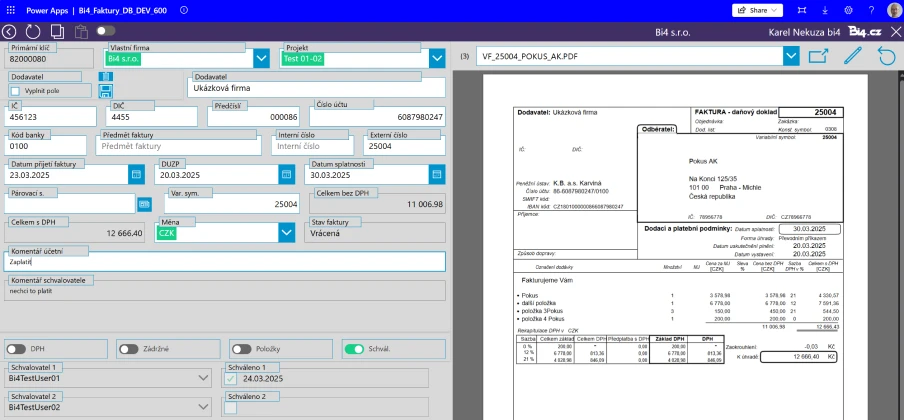
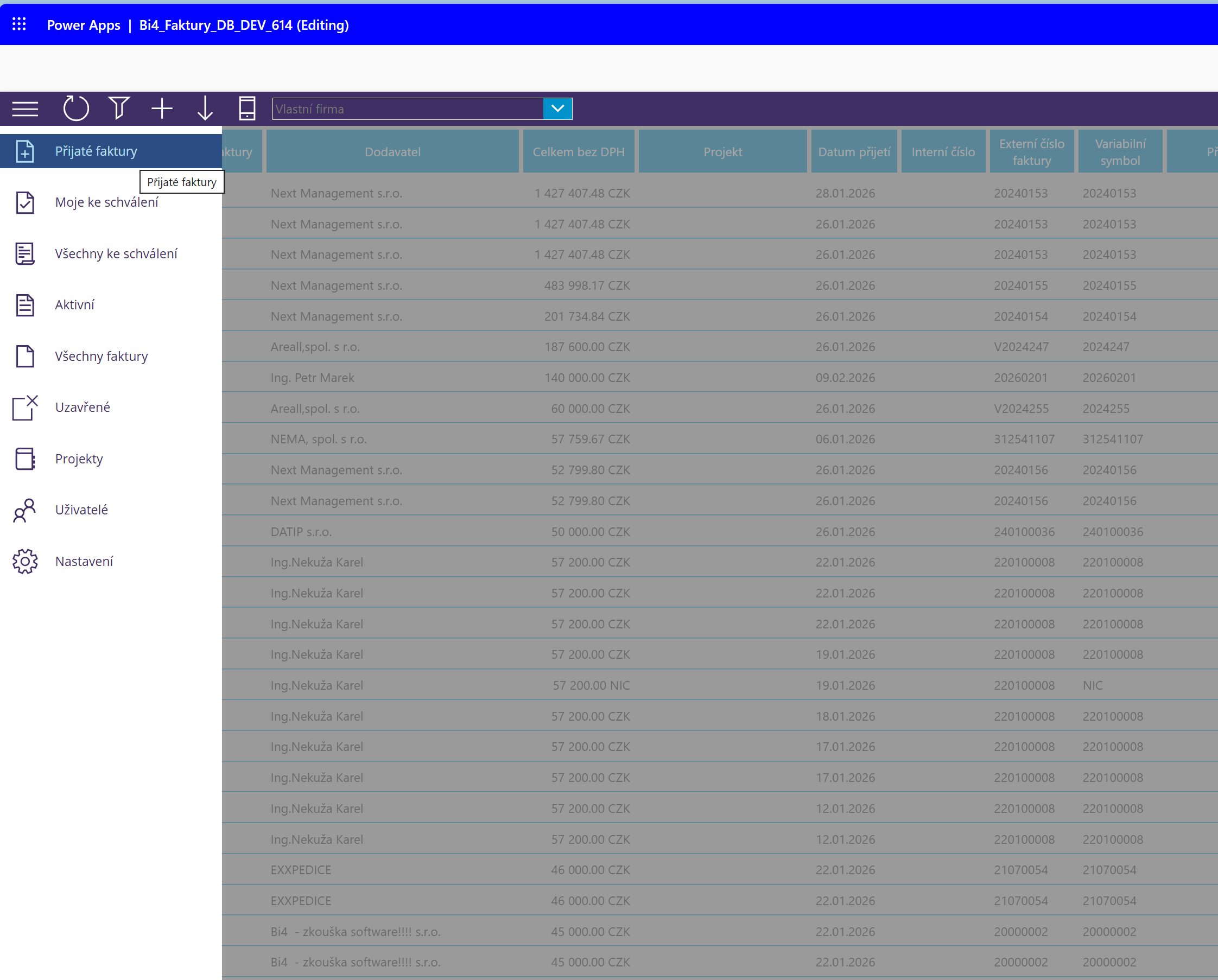
After logging into the application, you can immediately see the complete list of invoices that have arrived to the administrator (the person managing the invoices). Individual invoices are uploaded to the system automatically. All they have to do is send them to the chosen email address.
- The administrator checks the correctness of the information on the invoice and transcribes it into the system.
- The administrator then passes the invoice to the responsible person for approval.
- The responsible person will receive a notification of the invoices on which he is to comment.
- As part of the approval process, the invoice can be approved, rejected or postponed.
- Approval for more people is available
- Once the invoice is approved, it is sent by the administrator for posting.
- There is an overview of all invoices, in which you can filter arbitrarily.
- In the event that the invoice is sent for posting and thus redemption, the administrator may decide to move the invoice to the archive.
- The application also includes the project management.
Steps in application
Invoice arrival
The supplier sends an invoice on MyCompany.inapp@bi4.cz. The goal is to create a single place for all incoming invoices. Thus we guarantee that no invoice gets lost. The invoice is downloaded from the e-mail address to the application and added to the list. If the invoice is sent to a different address, the solution is to redirect -email addresses. The paper invoice is simply scanned and sent to the central address.
Checking and supplementing the necessary data
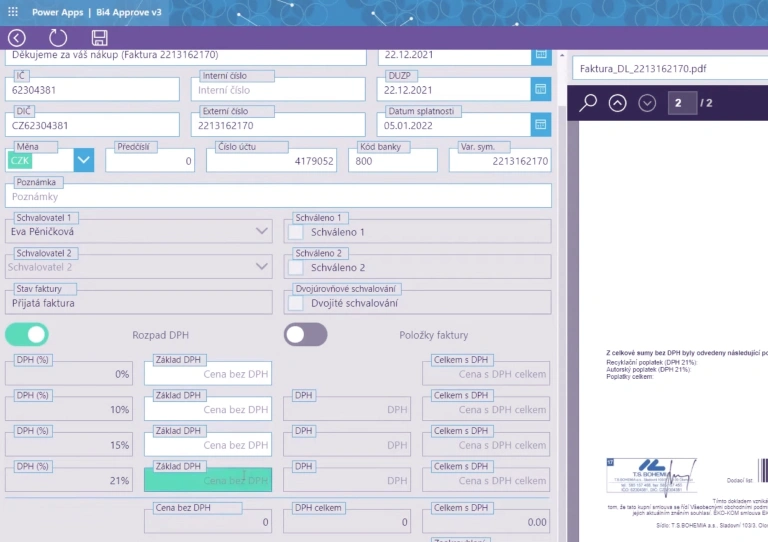
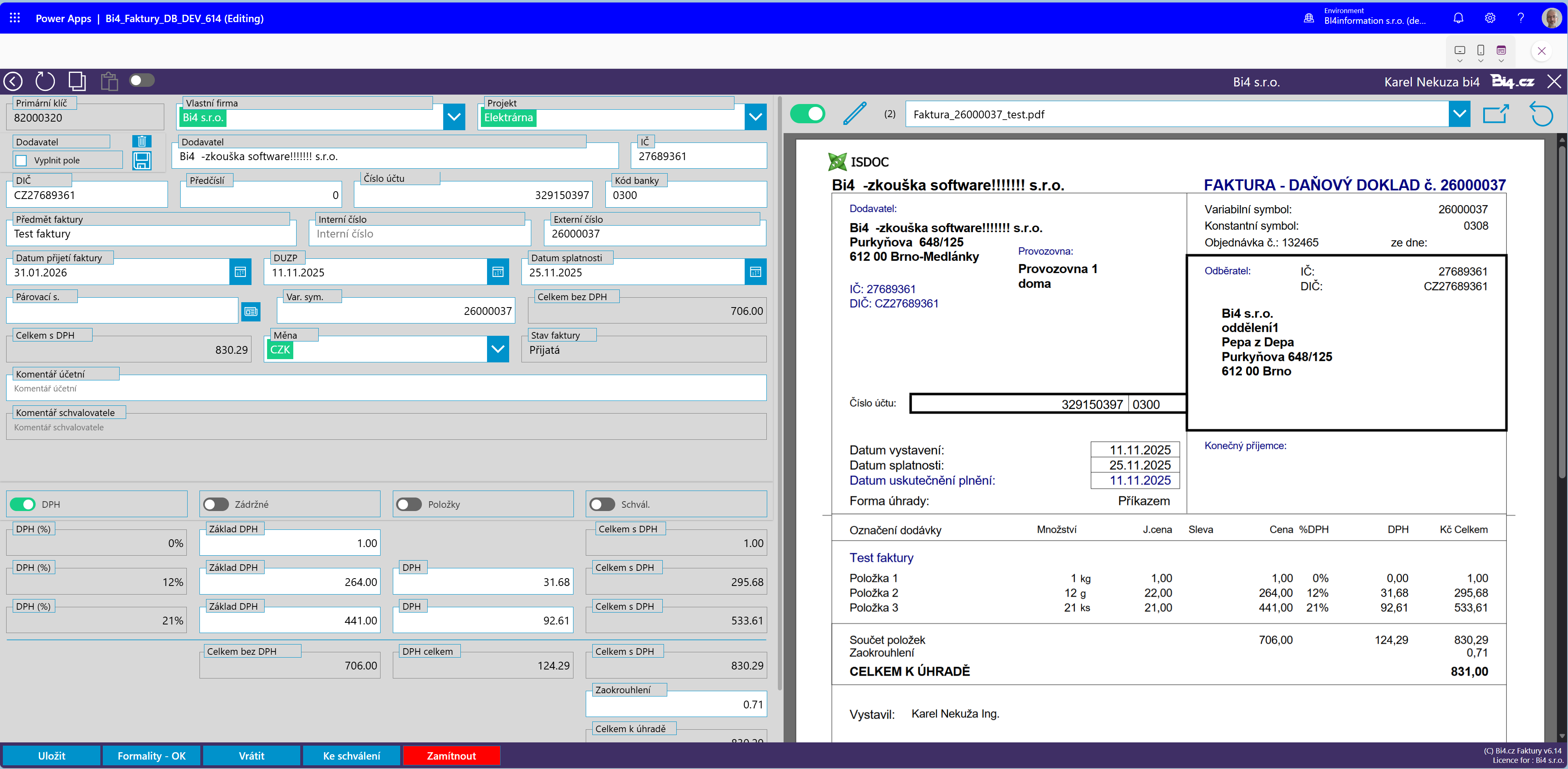
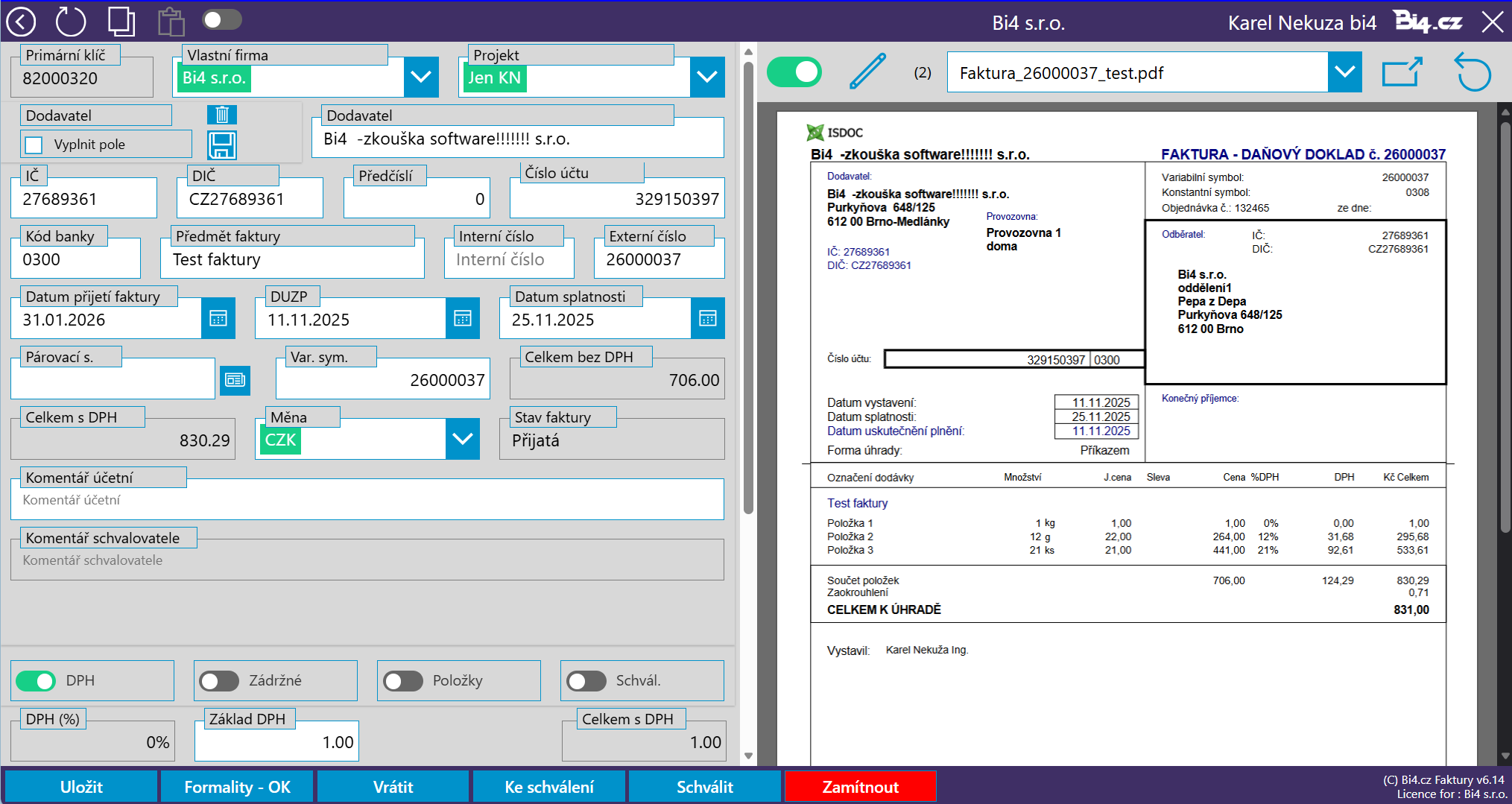
Step 2 checks the correctness of the addressee and other data. The application can extract data from the ISDOC format. The other data will then be completed manually by the application operator and he also checks the correctness of all data. An important thing is to assign an invoice to a specific project so that the system knows which manager should approve it.
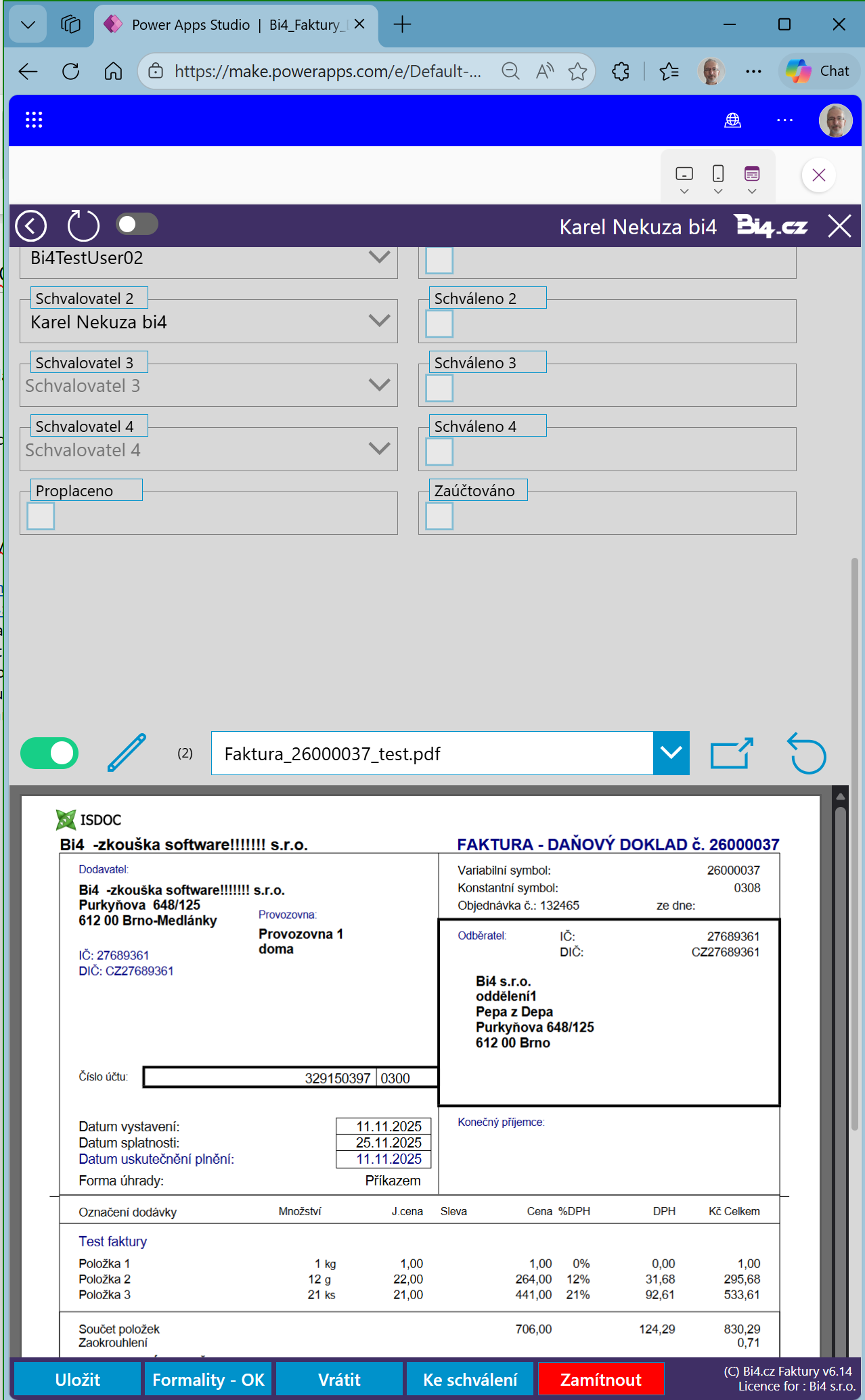
Approval by the manager
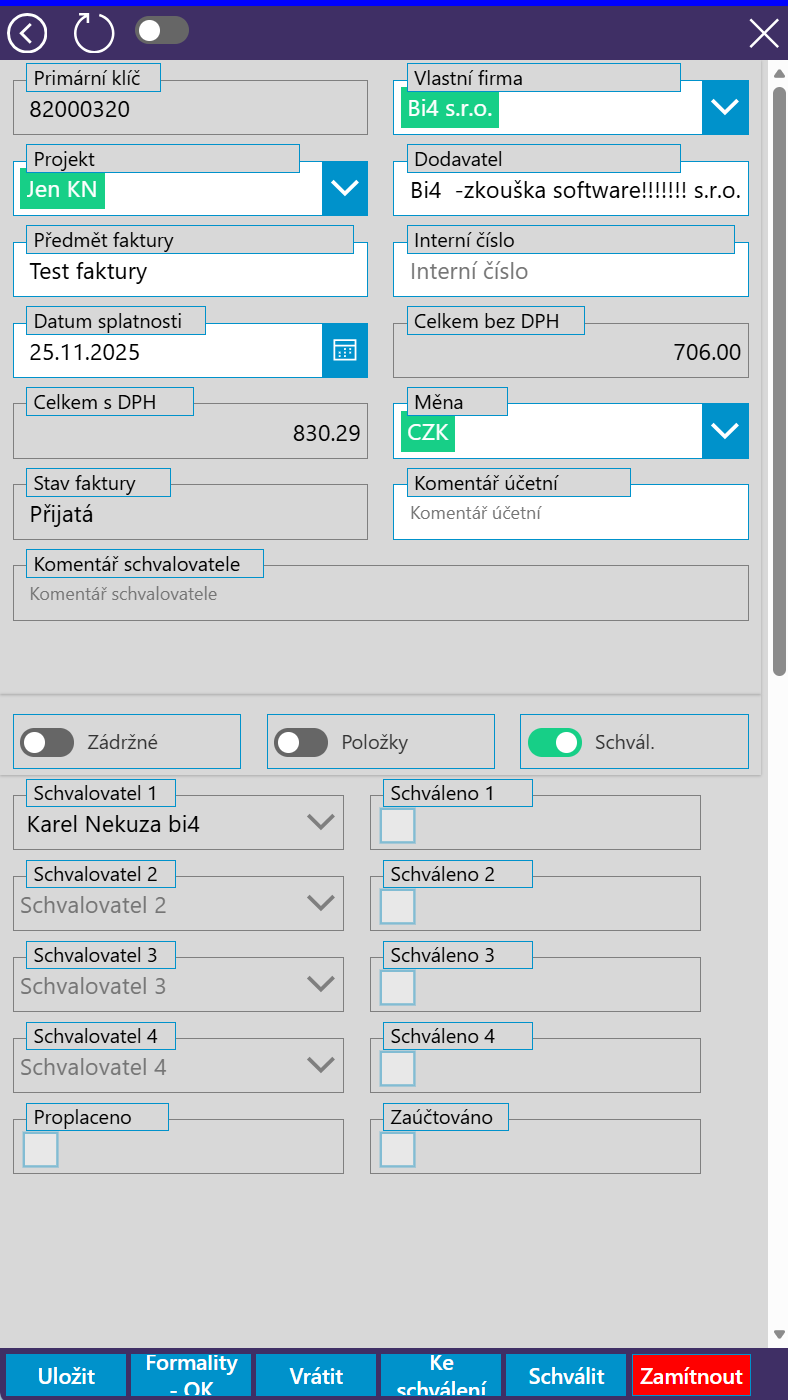
The manager approves invoices on a PC, tablet, or mobile phone. A preview of the invoice with the attached documents is available. Even after approval, it is always possible to return to and check your invoices. The manager agrees/disagrees or postpones the decision and attaches a comment. He can no longer withdraw his consent/disapproval!
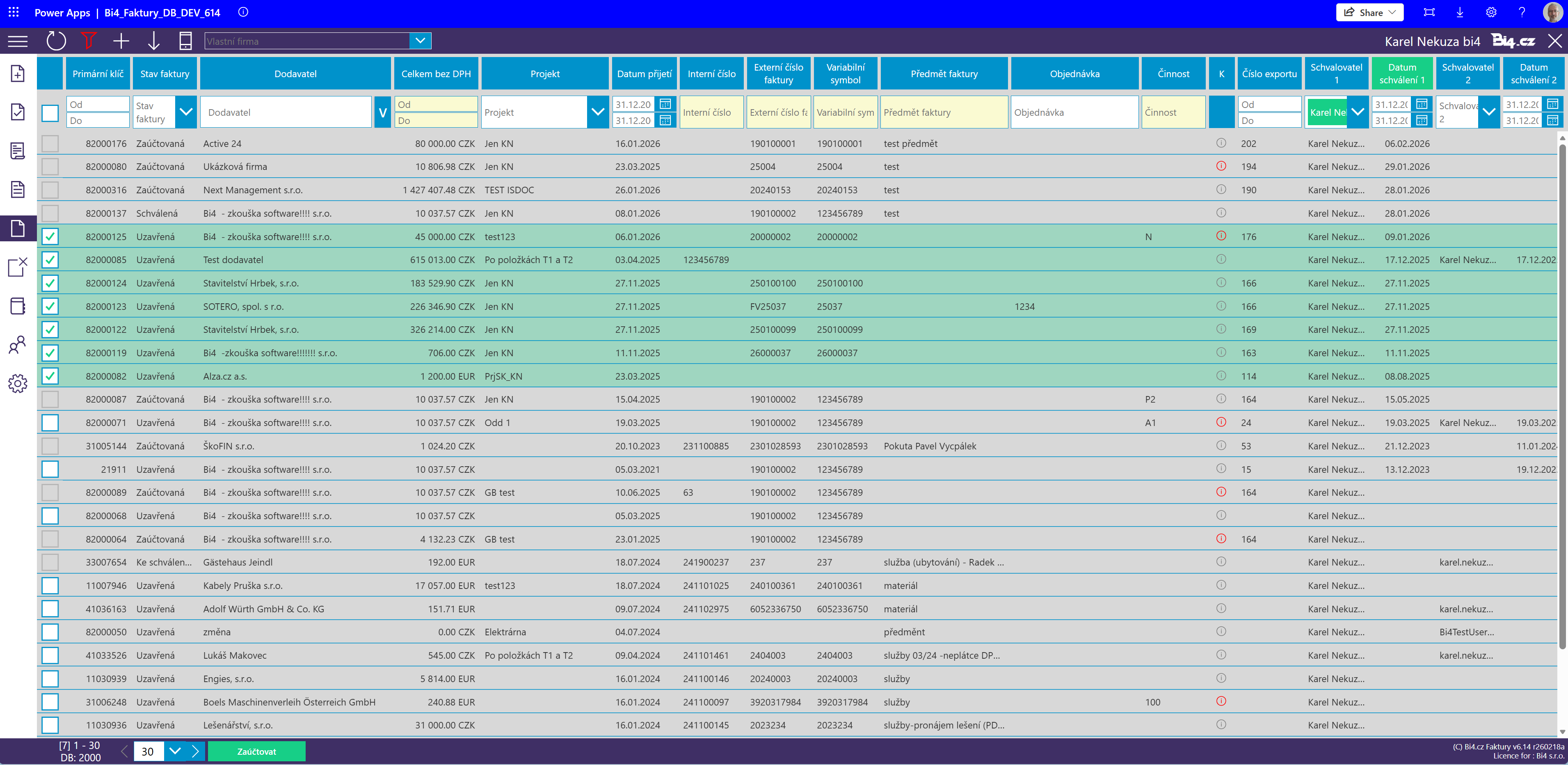
Send for posting
After approval, the application manager sends the invoice to the accounting office. The goal is to include only invoices without mistakes/errors, intended for reimbursement, to prevent the cancellation of internal numbers of received invoices. The system prevents undue payment of invoices, the subject of which has not been delivered correctly.
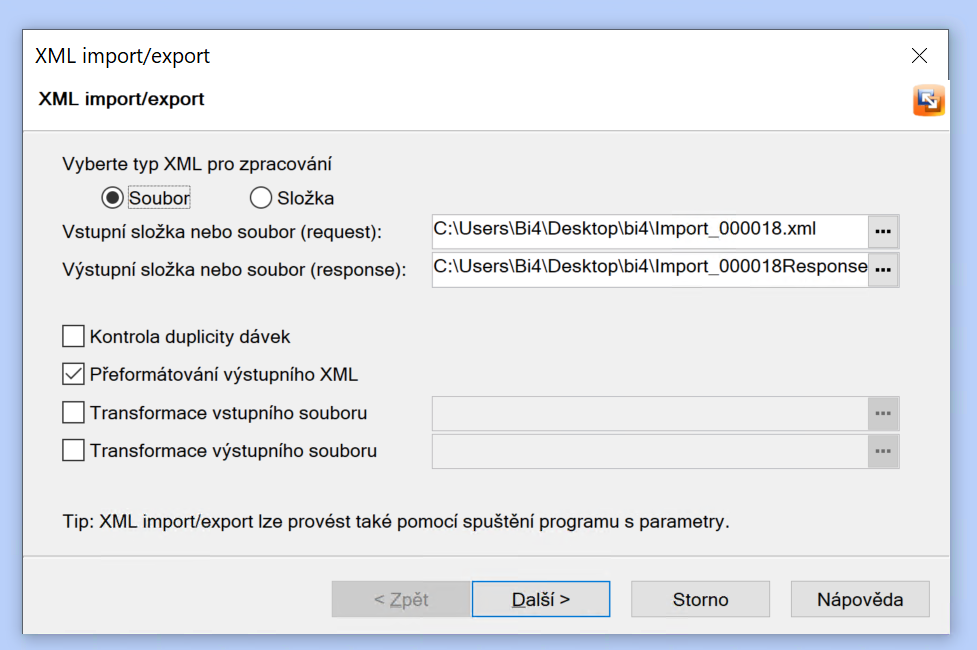
Import of entered data into the POHODA system
In order to save time of a qualified accountant and at the same time not duplicate the work of rewriting data, we use XML import into the POHODA system. The accountant only posts the imported invoices.
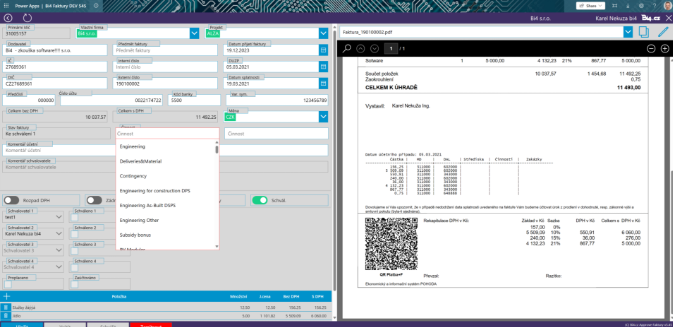
Export invoices from the POHODA system
You can also use the Bi4 Invoices application to export invoices that you save in the POHODA system.
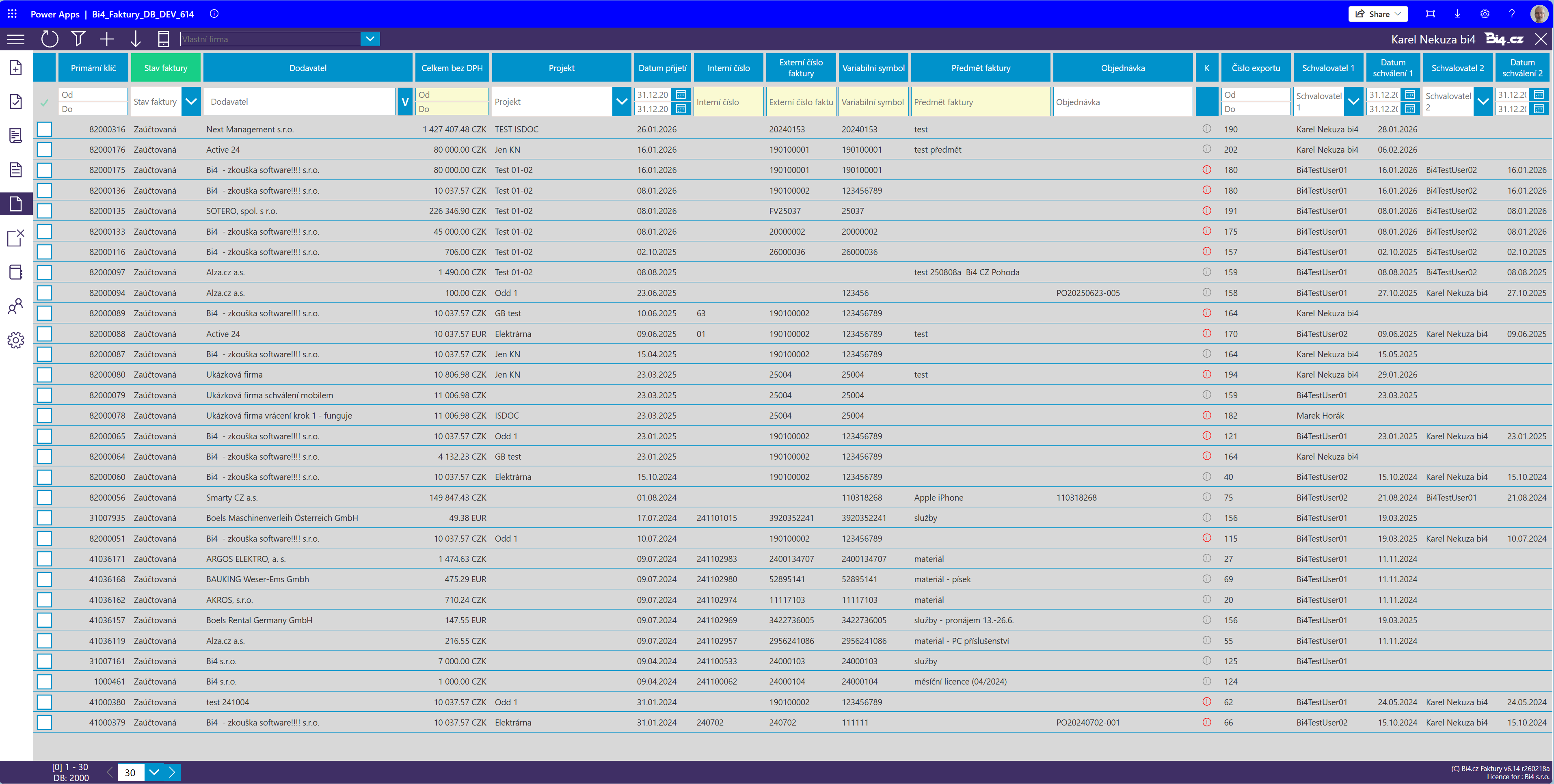
Pre-payment check
It is very useful when paying before the reimbursement if the manager has accurate information at his about who and when approved the invoice. ”Big overview” serves precisely for this purpose and shows an overall look at/overview of the outgoing flows of money from the company. Excellent filtering is applied, including saving the most common filters.
Everything works
across platforms

Import into the Pohoda
accounting system
Bi4Approve Invoices – incoming invoices under control with import into accounting
Guarantee for customers
One of the advantages of the Bi4Approve Invoices application is that it is installed directly on the customer’s tenant. This gives the client complete control and access to the source codes. The data itself is stored directly with Microsoft 365.
If you are interested in the application or would like to learn more, please contact us at info@bi4.cz.
Reference
We were looking for a suitable solution for invoice approval and for implementing a related system. To address this issue, our company, IDPS, chose Bi4’s invoice approval system. We enter invoices into the system and designate approvers, who are defined in advance. We can easily find everything we need; invoices are all in one place, and we know their current status. All data is available to us, and we can work with it whenever we need to. Using the application significantly saves us time in document circulation and processing; we eliminate the printing of invoices and the circulation of physical documents, which are a given in many companies. We process all documents electronically. Invoice approval takes place within the Microsoft 365 environment; it is an automated, transparent process that saves us time and administrative effort, and, when using “isDoc,” eliminates errors.
Ivana Bergmanová
IDPS s.r.o.

Are you interested in a demo?