Bi4 Audit
Bi4 Audit – for automation and improvement of operations in manufacturing companies
Bi4 Audit application for automation and improvement of operations in a manufacturing company
Every company that regularly conducts operational audits and seeks continuous improvement faces a degree of inefficiency. Diverse approaches and the subsequent rewriting of the data found not only complicate the audit process but also take up much more time than necessary. It is for these reasons that we have developed the Bi4 Audit application, which enables:
- the unification and digitization of the audit procedure and process,
- the elimination of manual rewriting, processing, and reporting.
Thanks to the Bi4 Audit application, companies can significantly streamline the entire audit process and unify it across multiple auditors, which is particularly appreciated during regular, recurring audits. In addition, the application uses Microsoft 365 and SharePoint technology, for which companies pay for a range of options that they are often unaware of. All data is stored on Microsoft 365 SharePoint and can be accessed by the client at any time.
How the Audit app works
The application itself is very intuitive and easy to navigate, not only for auditors, but also for company directors and managers responsible for specific parts of the project.
The application consists of 4 parts:
Conducting an audit in a company according to the rights of individuals and the situation in which the audit is conducted.
Templates with key question lists.
Audit results report.
Authorization of individual persons on 5 tiers and other system settings.
Templates with key question lists and ongoing audit
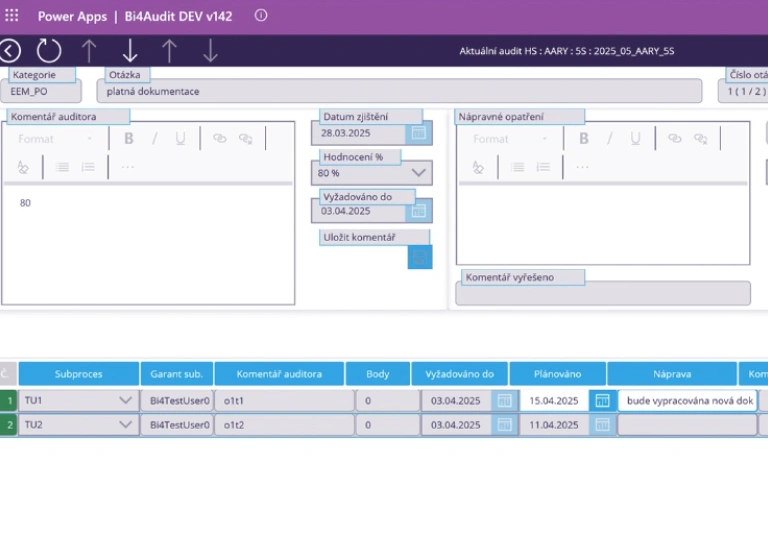
When opening this section, the auditor selects from individual categories and subcategories, each with relevant questions, which are then copied into the ongoing audit. Once the auditor starts the audit (after selecting the appropriate question matrix), they intuitively proceed through the yellow fields. It is precisely these colour-coded fields that must be filled in to ensure the auditor does not miss any part of the process. The auditor evaluates each assessed area to determine the extent to which it is in order. If it is not in order, they can add a verbal comment with recommendations on what needs to be corrected. At the same time, they can also attach a photo of the deficiency so that it is clear where the error occurred. Once the audit is complete, emails will be automatically sent to the process guarantor and the persons responsible for specific sub-processes. These people will thus be informed of the audit results and the steps they need to take to correct any errors.
Bi4 Audit step by step
Sample audit with questions
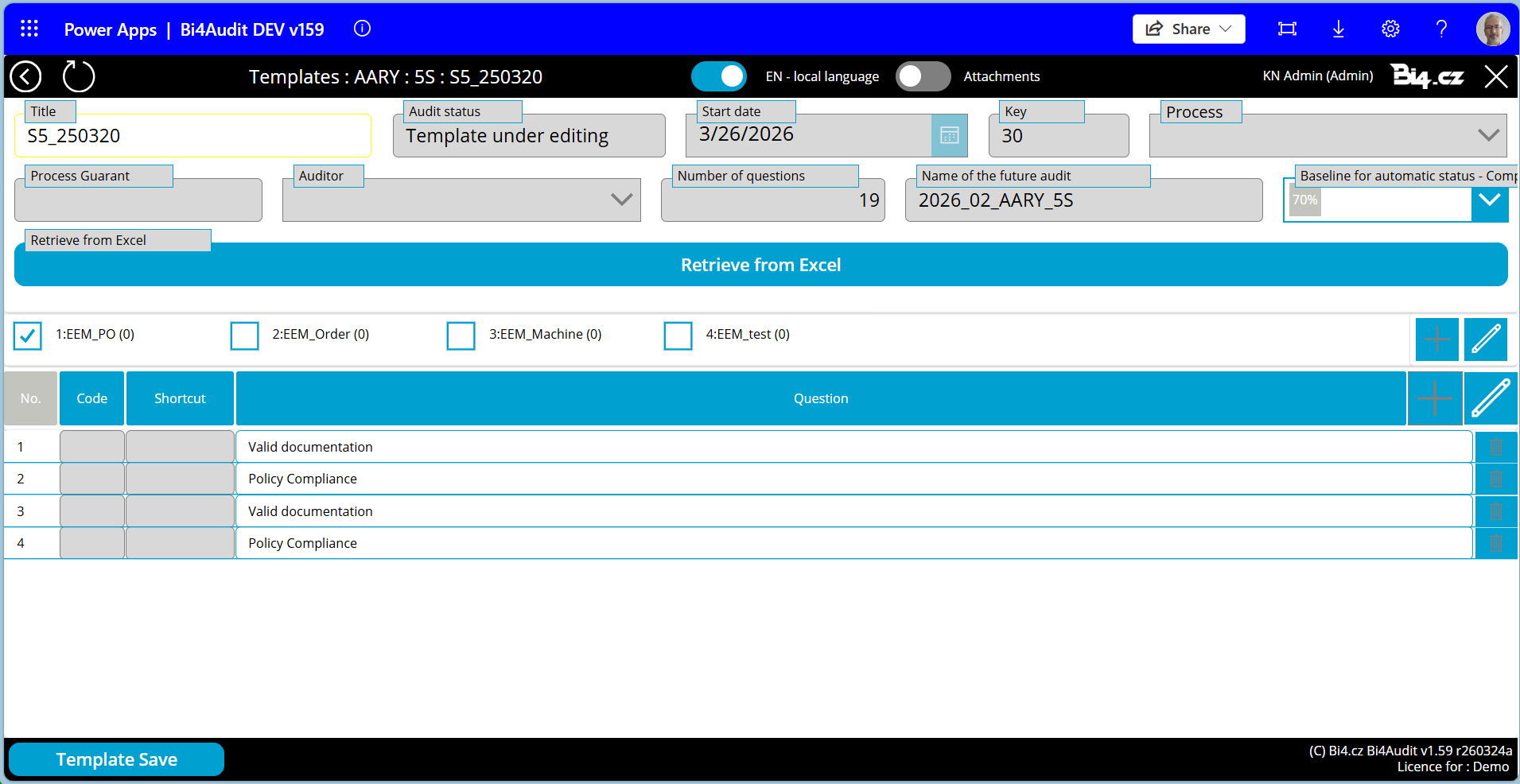
The sample audit includes a list of questions covering various areas, such as Health and Safety (H&S), Internal Regulations, Site Security, Production Processes, etc. The questions can be entered in the application or imported from an Excel file.
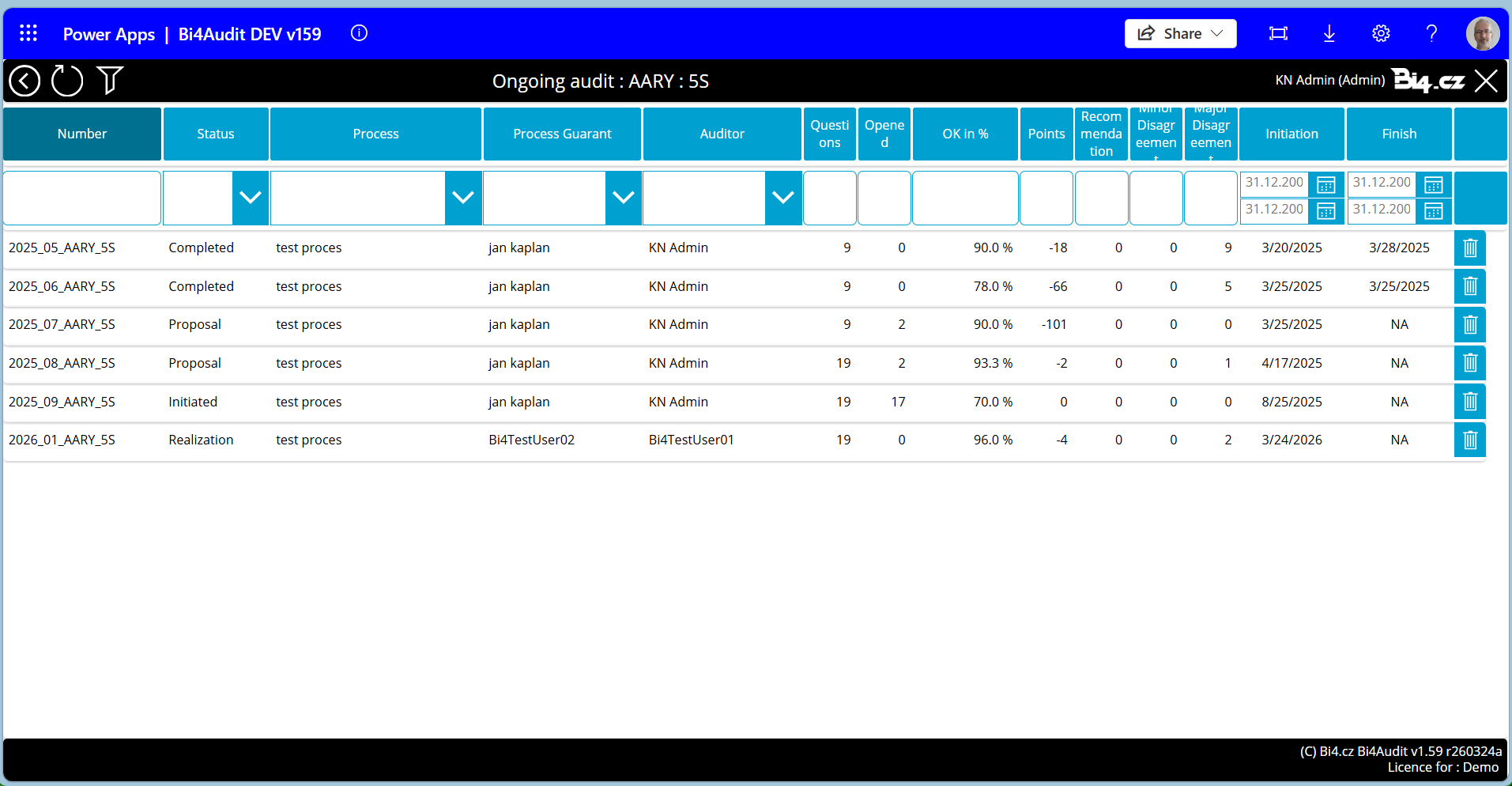
Selection of the auditor and start date
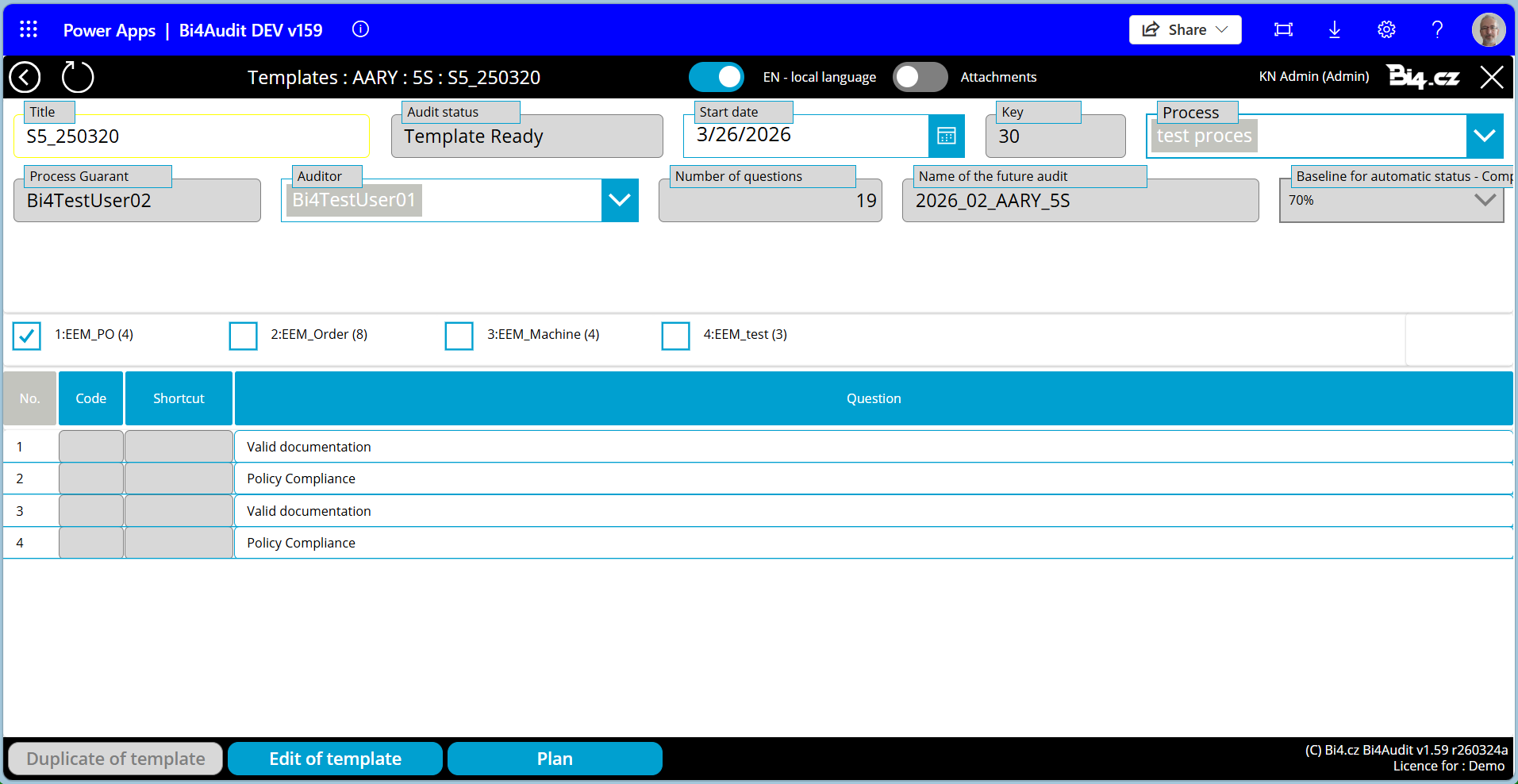
In the next step, we will select the specific audit, the auditor, and the audit start date.
Conducting the audit
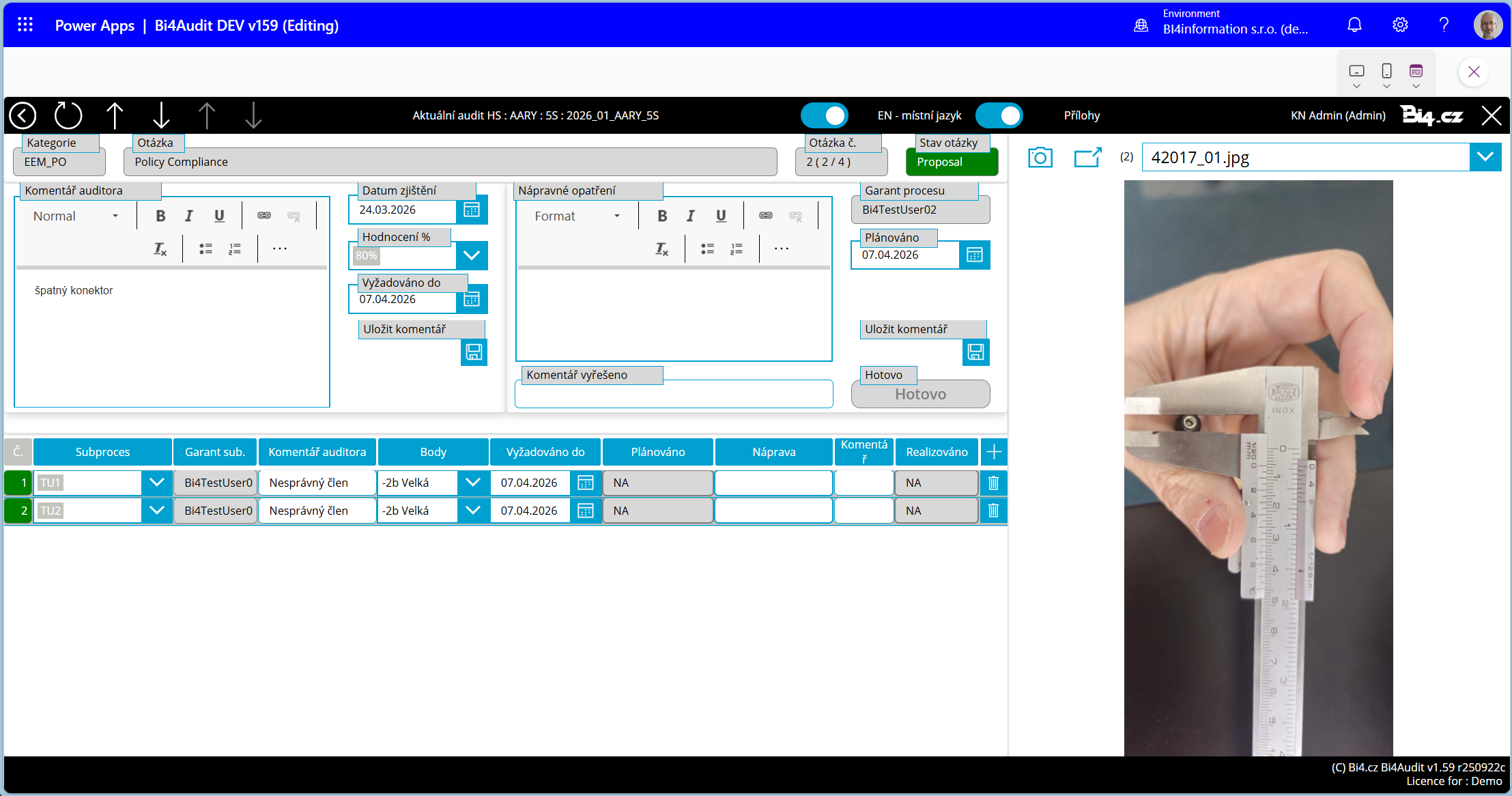
The auditor then reviews the specified parameters, identifies any discrepancies, and documents the findings by taking photos within the app (or uploading .jpeg, .png, or .pdf files). The auditor can approve a specific item (or add a recommendation), reject it, or provide a list of corrective actions.
Display of remaining tasks in the audit
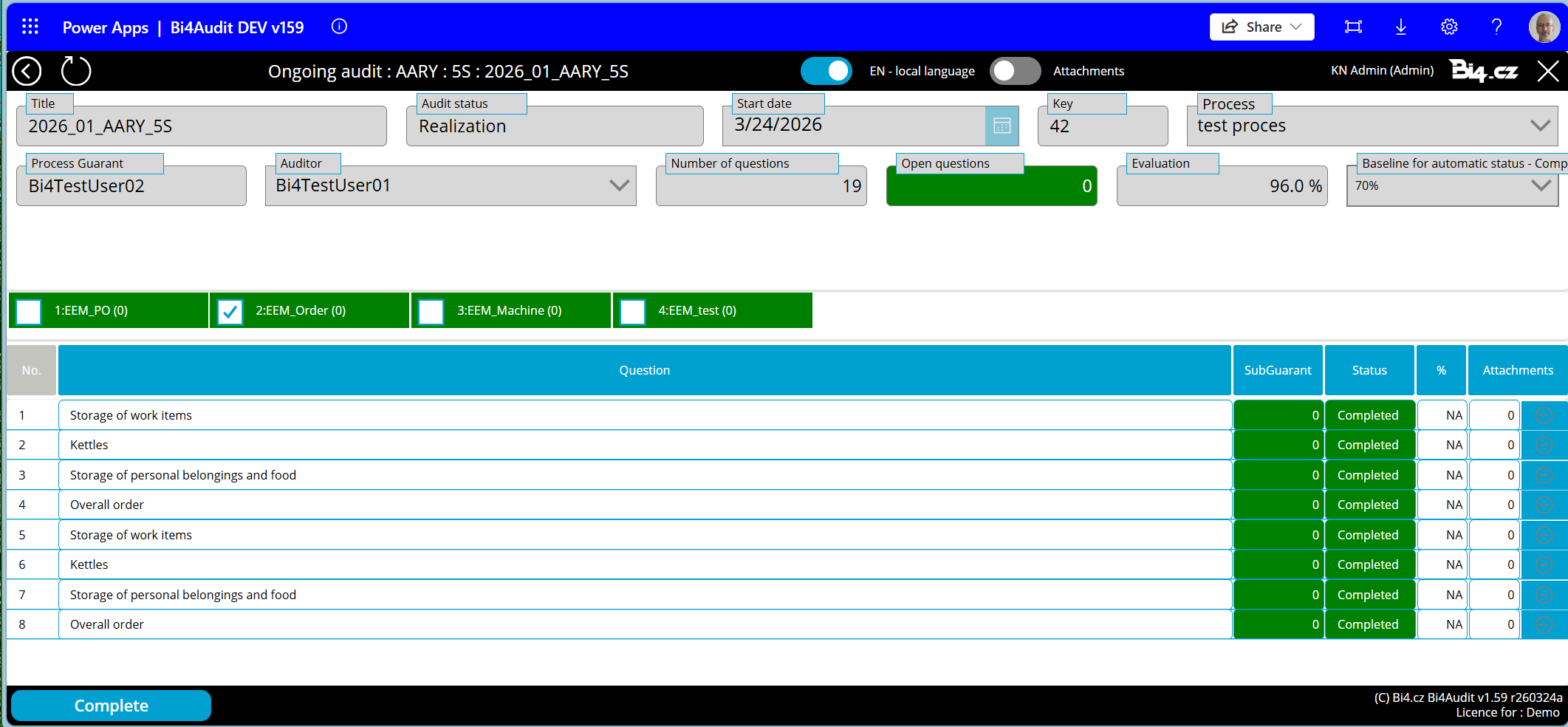
The auditor must go through all the questions and, if each task is in order, mark it as resolved. Only after all tasks are marked green (as resolved) can the auditor close the audit. This prevents the auditor from accidentally overlooking any required checks.
Recommendations
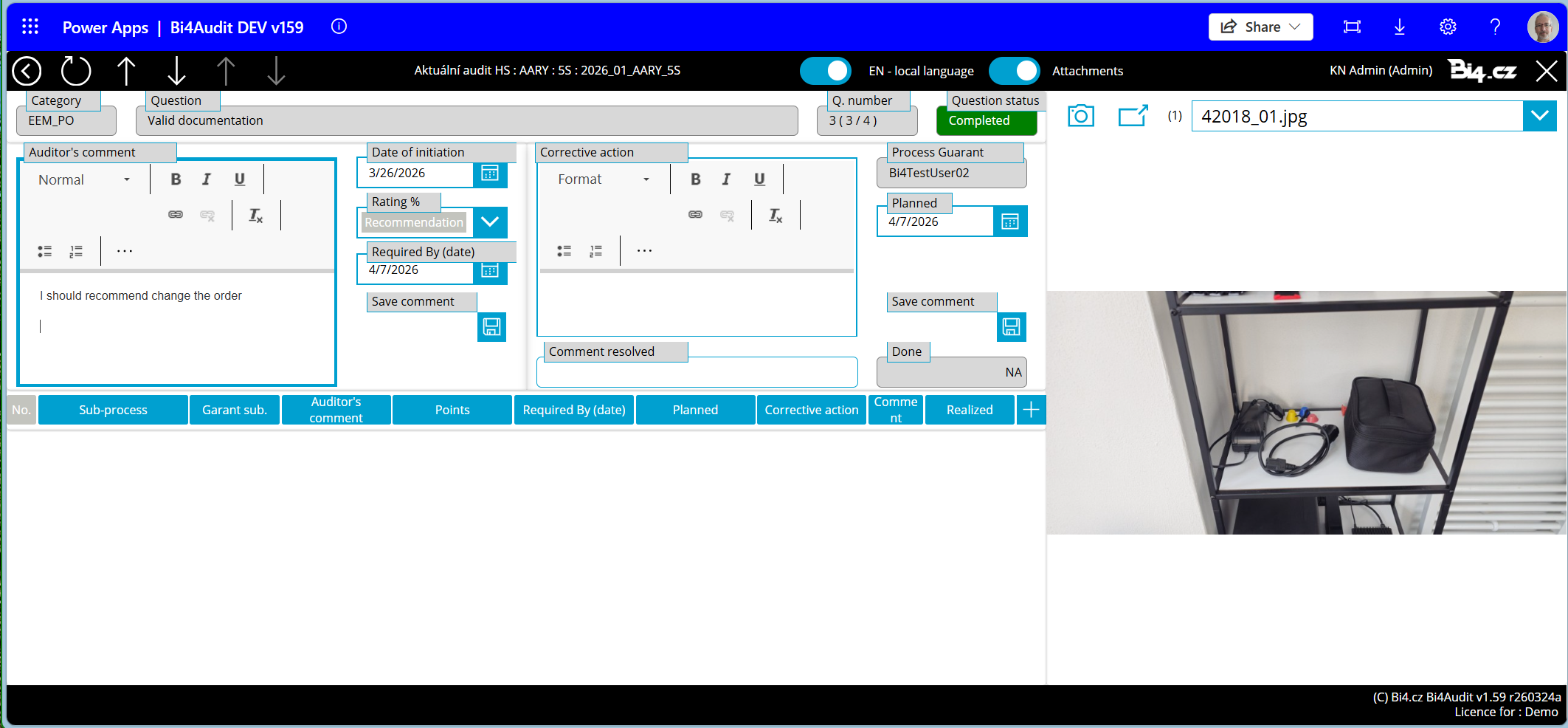
Even if the auditor does not flag an item as problematic, it is possible to add specific recommendations for that area.
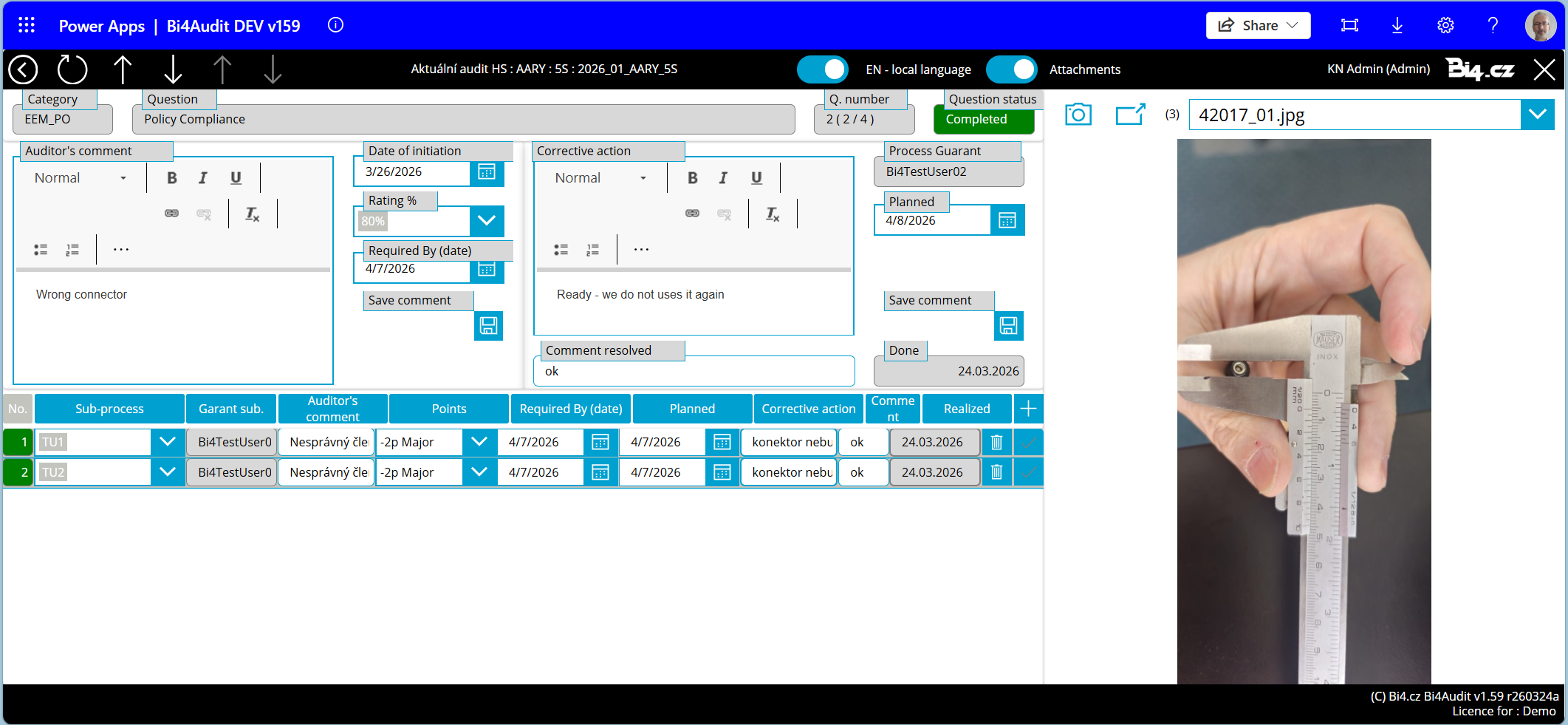
Reviewing the completed audit
The person directly responsible for the audited processes now takes over the application and reviews any findings from the auditor (marked in yellow).
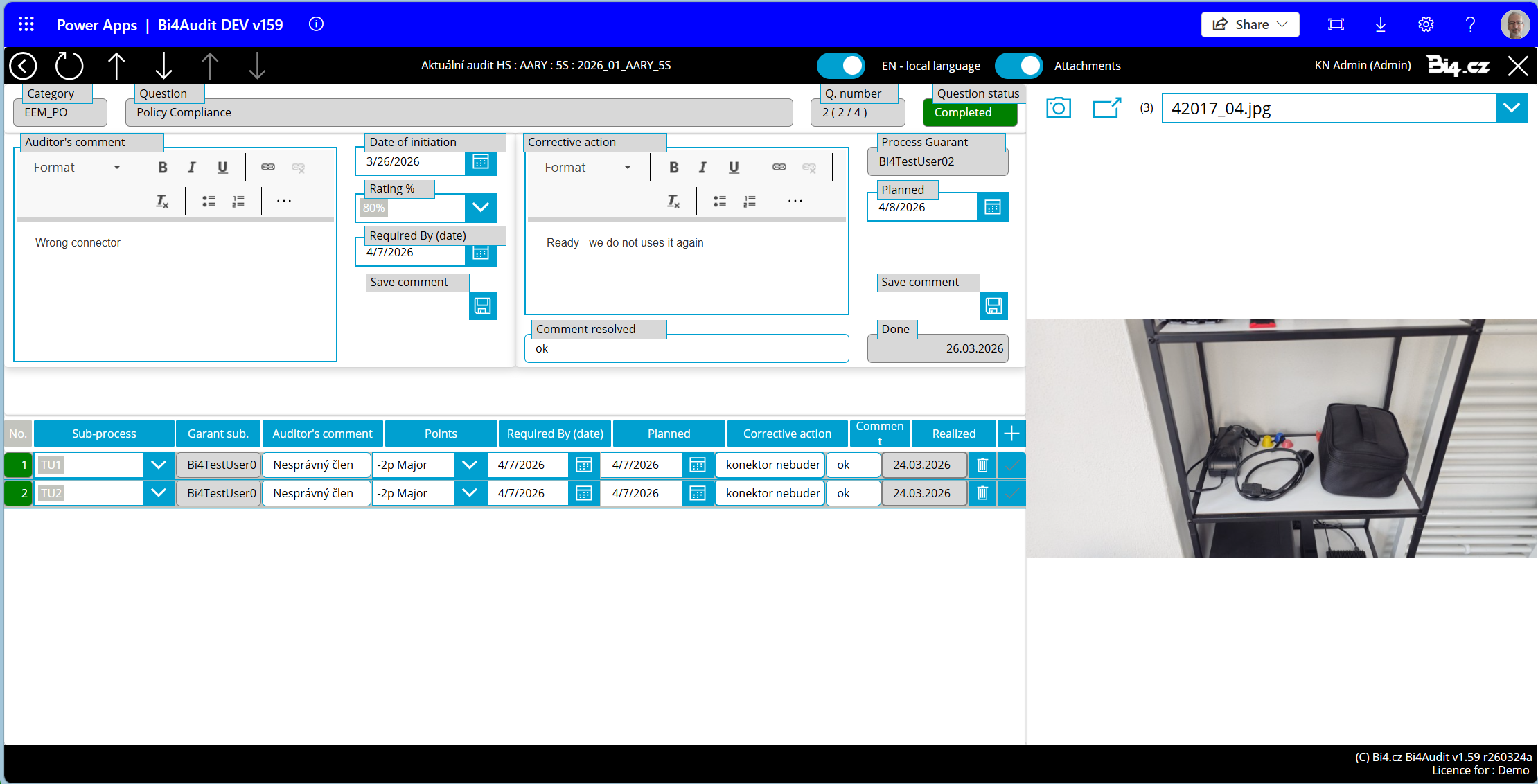
Corrective actions
A page for responsible parties where they record proposed corrective actions and the dates by which these actions will be implemented.
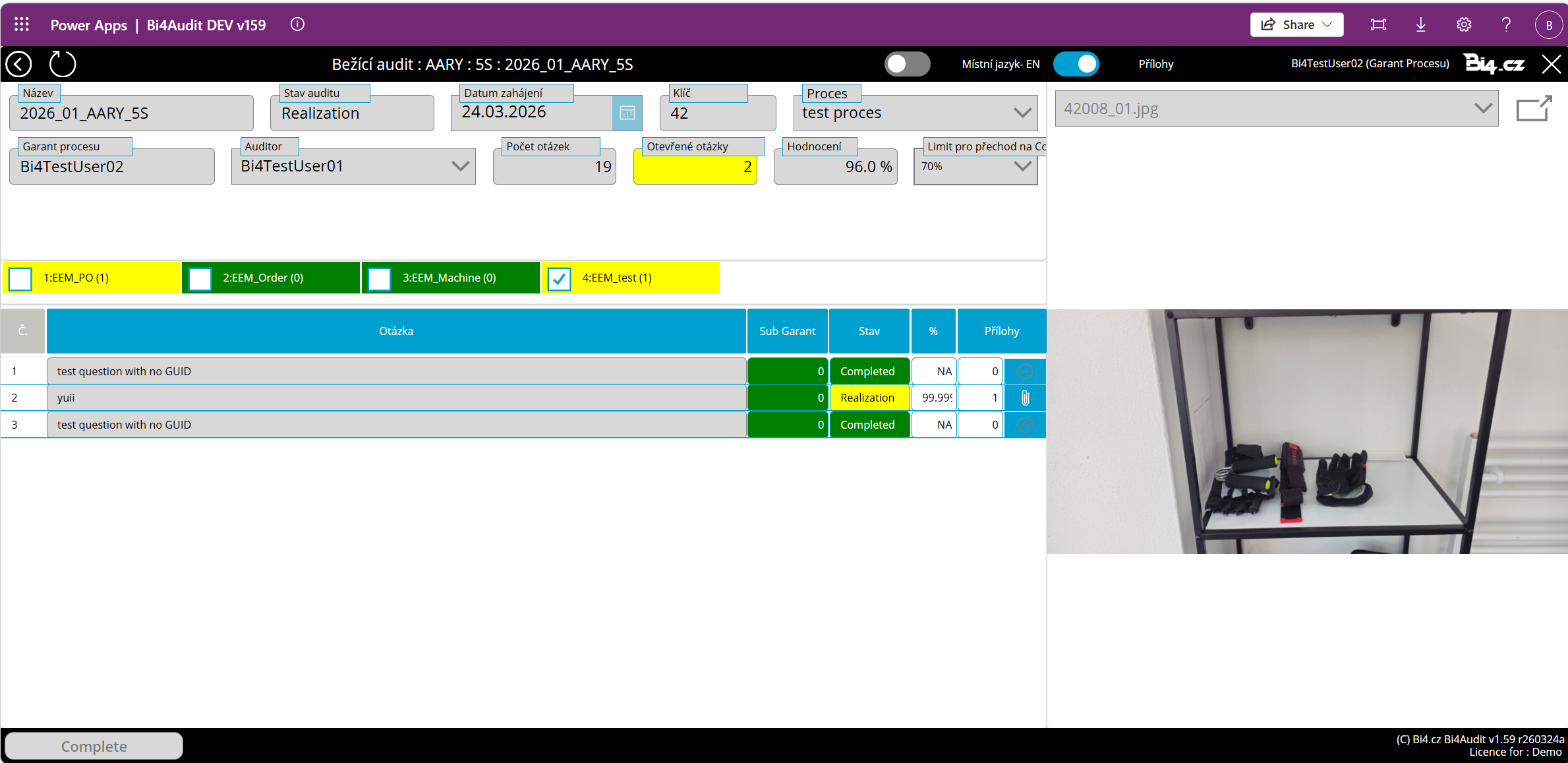
Verification of corrective action implementation
Responsible parties must then return to the application to confirm that they have actually implemented the corrective actions. The application records the date of all operations.
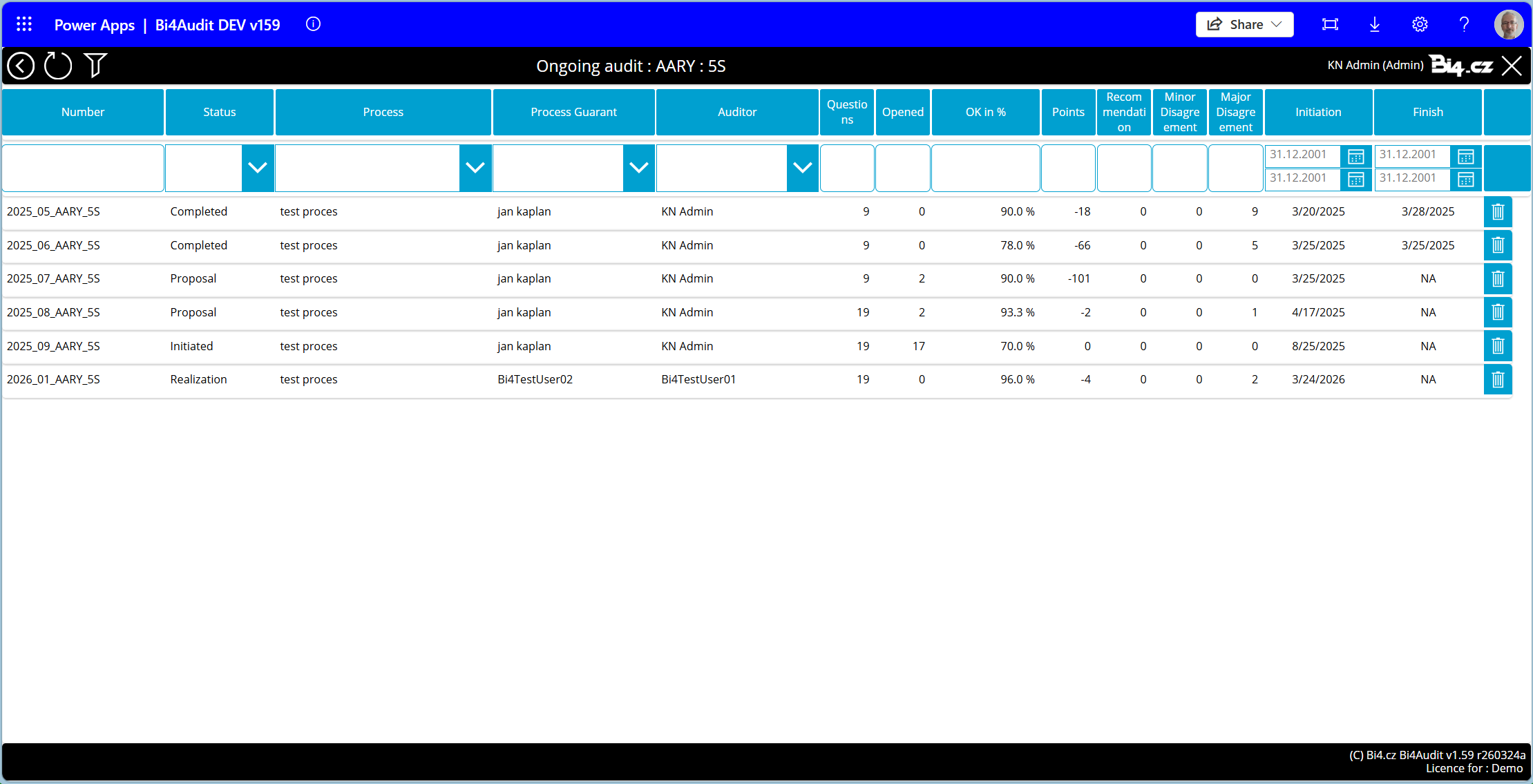
Final documentation
All participants have access to a list of audits, including when they took place and what was found during them. This allows participants to gain important insights, while preventing them from retroactively altering the audits.
Use of the application ASSA ABLOY facilities
We originally developed the Bi4 Audit application for ASSA ABLOY, which began using it for its production plants in the Czech Republic and other European countries. Thanks to the application, ASSA ABLOY gained a unified system identical across all plants and has accelerated the flow of information about audit results.

Advantages of the Bi4 Audit application
Audits in companies are conducted in various ways. Auditors used to record the results of their checks in Excel, for example, and everyone had their own system, resulting in a disorganised collection of documents without a unified concept.
Thanks to the Bi4 Audit application, all data is in one place, companies can easily navigate it, and those responsible for specific departments and parts of the process can respond effectively to any shortcomings.
The application is responsive and can be conveniently used on a mobile phone. It is also multilingual. It is currently available in Czech, English, Romanian, and Polish, with additional language versions available upon request.
Another advantage is that a single application can be used for a variety of audits, depending on the needs of specific production plants.
If you want to simplify and streamline your company’s audits, please contact us. We will be happy to introduce the application to you in more detail.
References
The Bi4 Audit application now allows us to monitor audit results in real time, display them in visualizations, and filter them by individual processes or locations. Today, we can say exactly who commented on the audit and when, what was proposed as a corrective measure, and whether it was actually implemented.
Jan Kaplan
Sustainability Manager
Are you interested in a demonstration?