Reservation of work
and parking spaces
Approve Hot Seating & Parking – a clear solution for booking
seats in your company
Thanks to hot seating, you can reduce the company’s costs by up to 50 % and increase employee satisfaction
The way companies work has changed significantly in recent years, and the coronavirus pandemic has accelerated these changes even more. The daily presence in the offices replaces the work from home and the partial home office. This approach is becoming increasingly popular in modern and progressive societies. Thanks to it, companies significantly save space costs, as well as the costs of electricity, water, refreshments for employees, etc. Employees appreciate that they can work more days from home, have a home office according to their needs and do not spend time commuting.
For example, if the company employs 80 people, but in reality only 20 of them go to the office, it is not necessary to reserve space for the mentioned 80 people. It is quite sufficient if there is a place in the office (or in the open space) for 20 employees who will take turns attending the company. However, for this option to work, a high-quality and reliable application is needed, in which employees will record their arrival at work.
For this purpose, we have developed the Approve Hot Seating & Parking application, which consists of two parts. Hot Seating makes it easy and convenient to book a job. Parking then booking a parking space. The aim of this application is to save the company money for unused space and unused parking spaces. And these are really significant amounts. Thanks to this application, one company will save CZK 40,000 per month for unused parking spaces.
Solution for your needs
The Approve Hot Seating & Parking app takes into account all the needs that employers and employees have in relation to seat and parking reservations:
- responsible persons can easily reserve specific seats for visitors on a specific day,
- administrators can reserve permanent seats for longer periods and make bulk reservations for visits,
- and regular users can reserve seats for the days they plan to go to work. If their plans change, they can cancel their reservation with a single click.
Microsoft has evaluated Approve Hot Seating & Parking as a seamless application developed on the company’s technology. At the same time, it has been included in the global Azure Marketplace list, which only includes applications that have passed Microsoft’s approval process.
If office and parking space reservations are what you are looking for, do not hesitate to contact us.
Approve Hot Seating & Parking procedure
Seat reservation
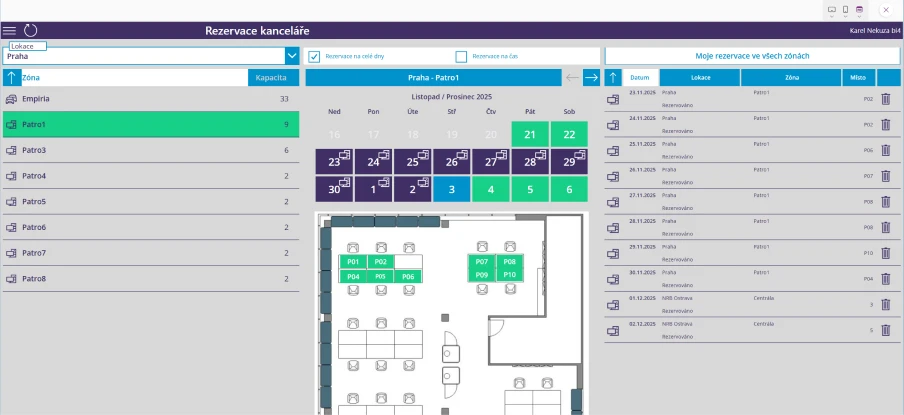
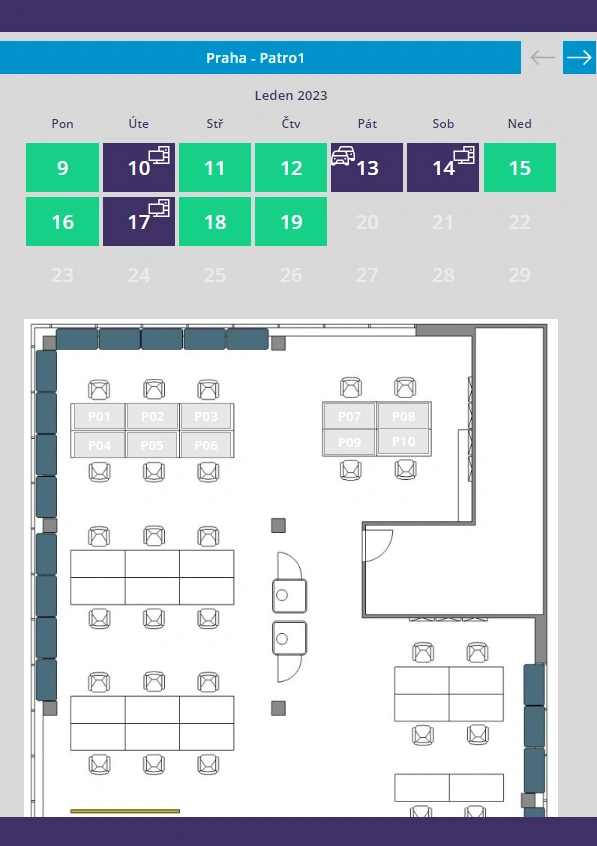
In the list of reservations, the user can see on which day and on which floor he has a seat reserved. He can reserve a place for the next days or cancel the reservation for the selected floor. The same principle works for booking a parking space. In addition, information on the quality of the job is available for each job. For example, if he has an adjustable table, two monitors, etc. At the same time, users can view already reserved seats and find out which colleague is sitting in which place.
The green squares in the application indicate the days when the user does not have a reserved seat. Green “pipes” are the days when the user has a reserved place on the floor. Blue “pipes” means a reserved space on another floor.
Zone selection
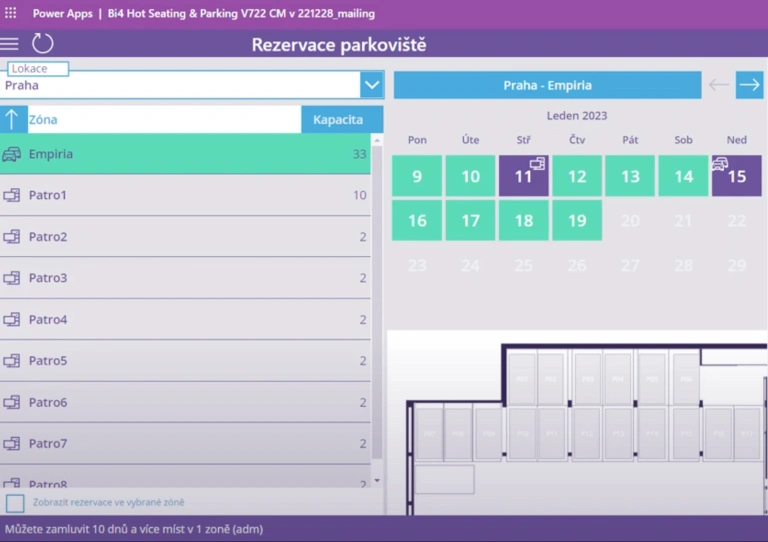
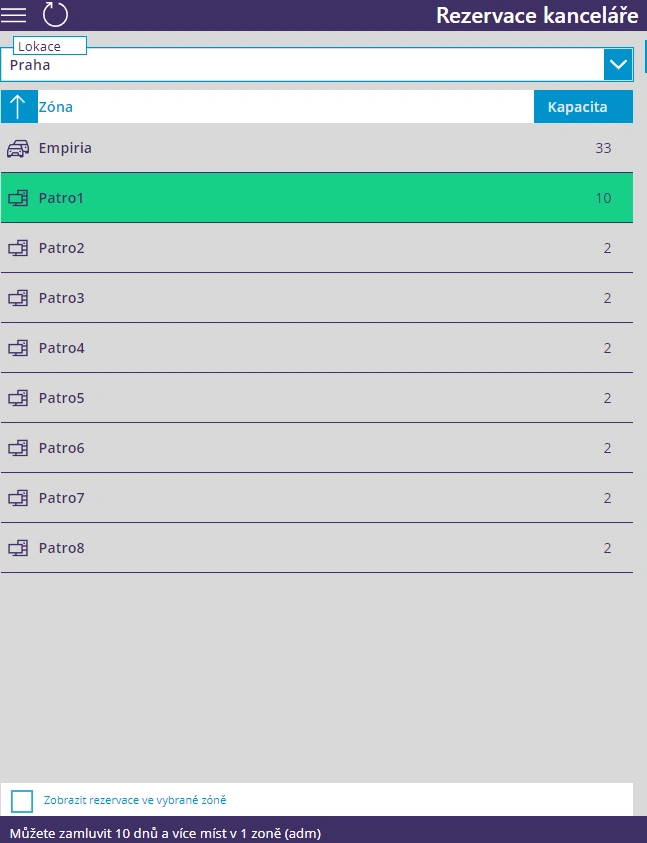
Within the application, the employee chooses the so-called Location. Locations can represent cities in which your company has offices or individual buildings. The employee therefore first chooses the desired location (city) and then the specific floor (Zone) in the building. At the same time, he sees how many vacancies remain in the given zone. Within the zones, you can also choose a specific parking lot for the company.
The zone also includes a map with the company’s address, which will make it easier for users to find their way around.
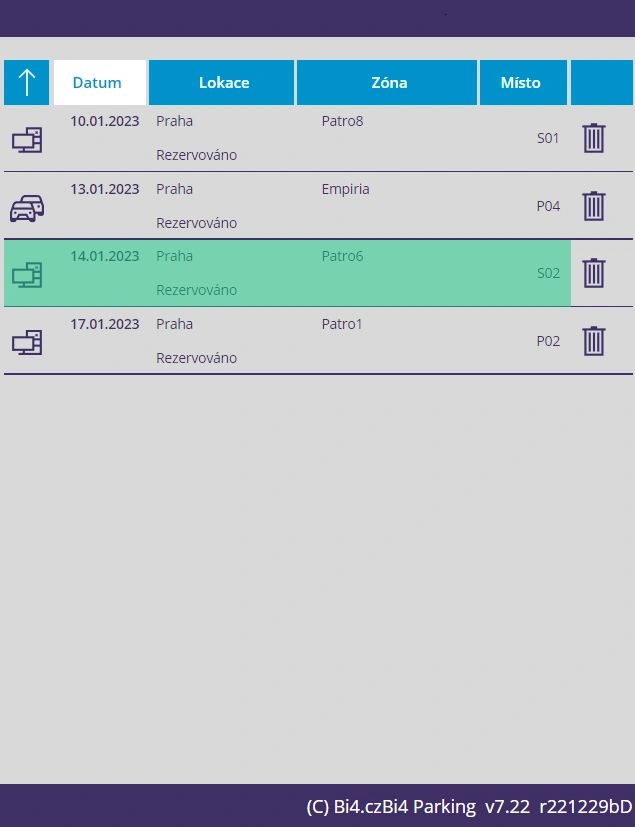
Overview of reservations
The Approve HotSeating & Parking application has been developed to provide employees with maximum overview. In the list of their reservations, each user sees the days, places and zones in which he made a reservation. If he decides not to go to the office on a certain day, he can easily delete this reservation with one click.
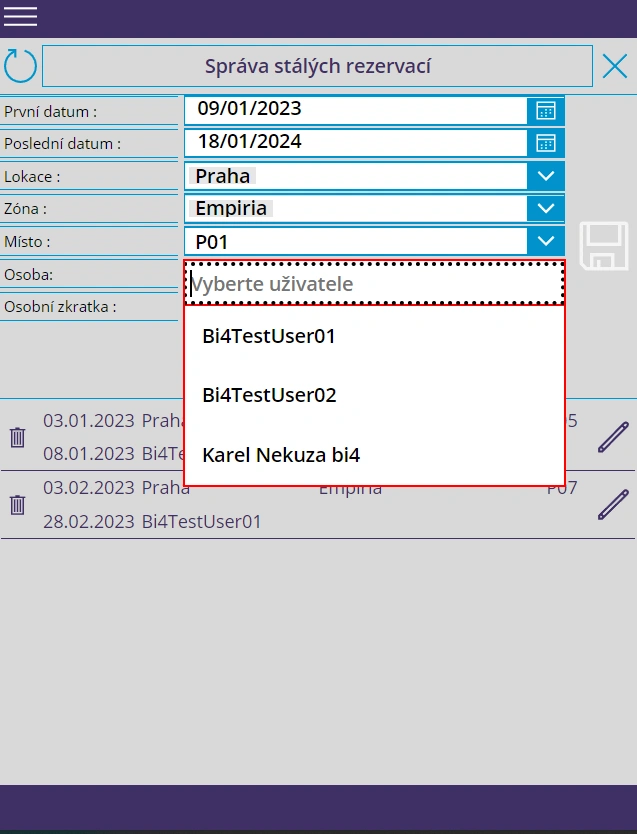
Bulk reservations and Permanent seats
Within the application, selected individuals (typically receptionists, secretaries, etc.) can be granted special access, allowing them to make bulk reservations for other people. Typically, they create monthly reservations for managers, reservations for company visitors, etc.
In the Permanent Seats section, they can create reservations for one person for a longer period of time. The administrator selects a specific space and the desired time period and creates reservations for all selected days with a single click.
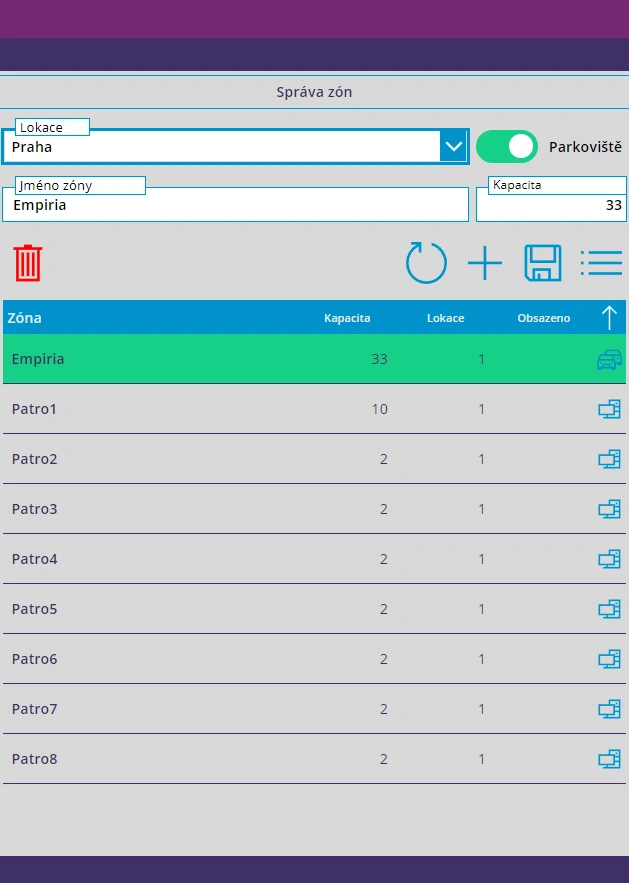
Administrative part
Application administrators have access to an administration interface where they can limit the capacity of a given space, set the maximum time period for which reservations can be made, etc.
Administrators have the following permissions:
- make bulk reservations and reservations for permanent spaces,
- create reservations on behalf of another user,
- cancel reservations for other users,
- assign rights to users,
- edit zones.
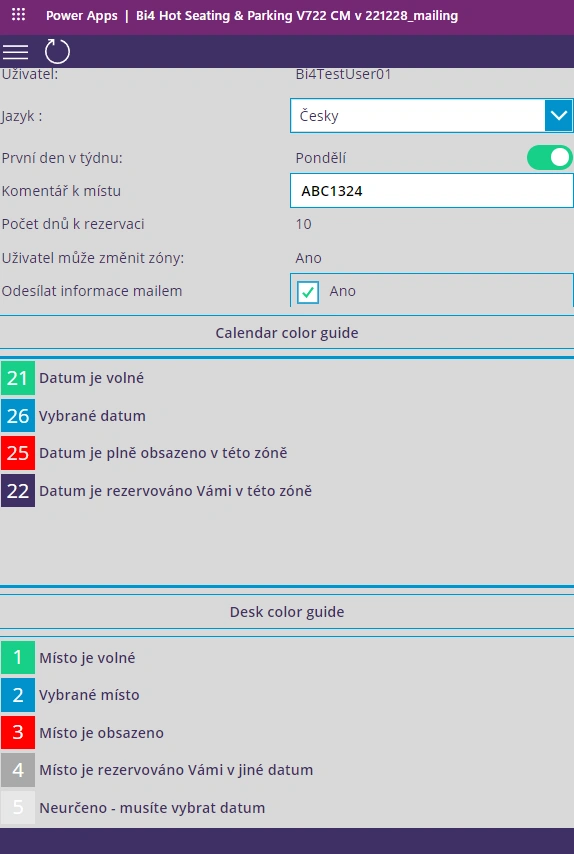
Support and explanations
Approve HotSeating & Parking also includes an overview page that clearly presents the individual elements of the application. This makes it easy for users to find their way around and quickly understand the application. In the settings, users can also choose whether the application will be in Czech or English.
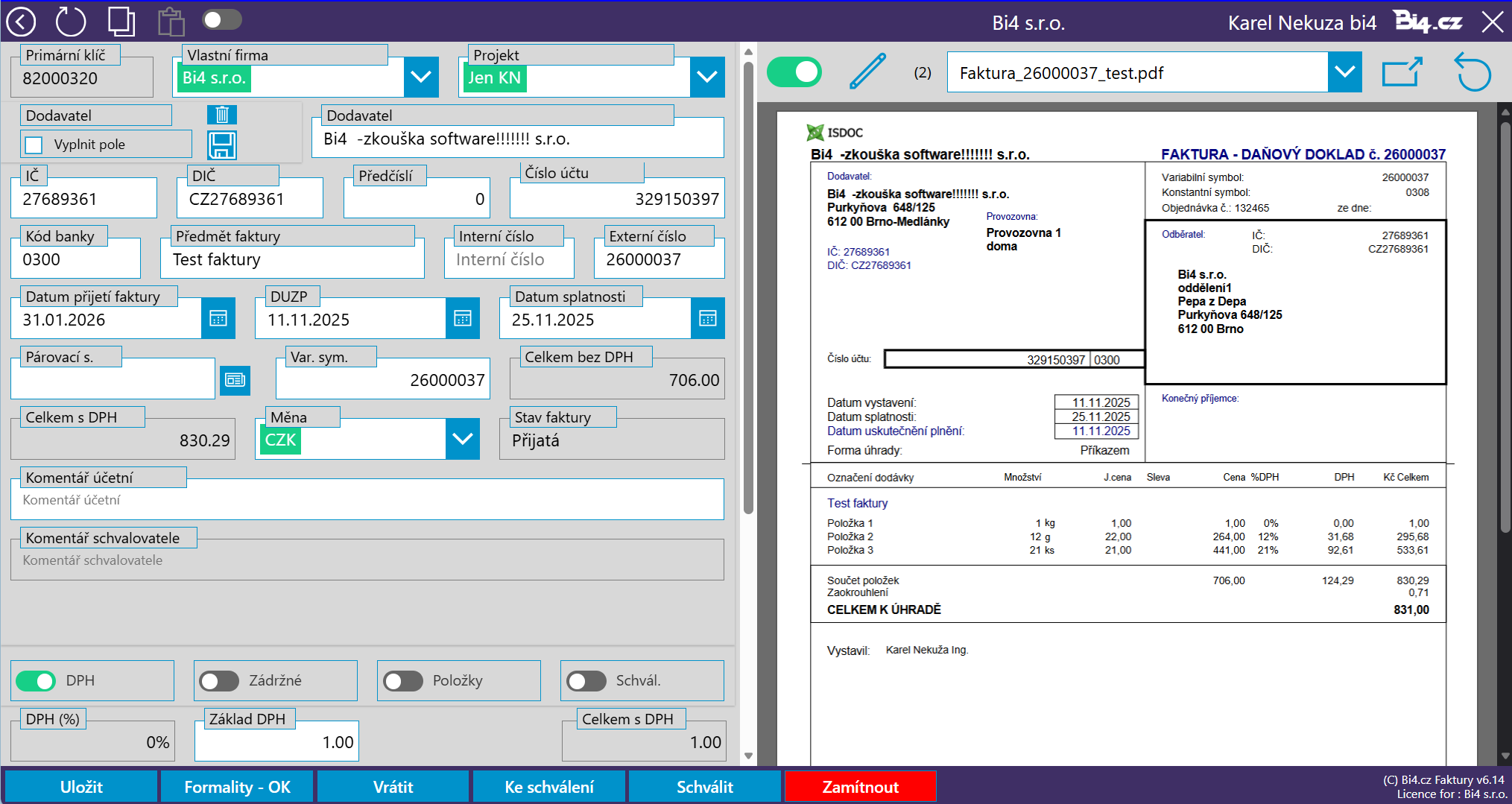
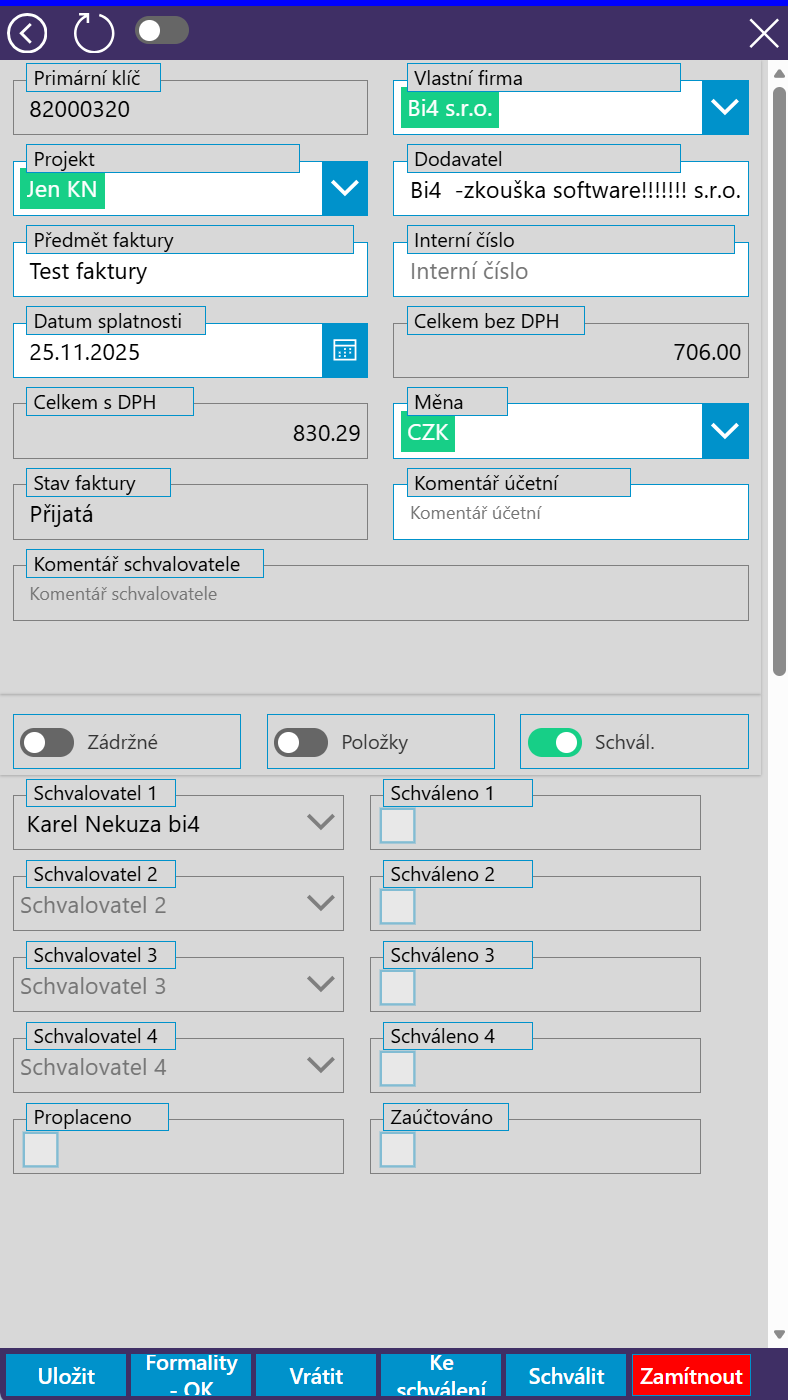
The application is responsive, so you can use it comfortably on both your computer and mobile phone.
Contact us
If you want to enable your colleagues to comfortably come to the office and easily and efficiently reserve their seats, let us know. We will be happy to introduce you to the Bi4 Approve HotSeating application in more detail. We are here for you at +420 602 560 996, or you can use our contact form.
Everything works
across platforms

Features of the Approve HotSeating & Parking app
The Bi4 Approve HotSeating & Parking application will be appreciated by all companies that want to use their offices or entire buildings really efficiently. However, it is a particularly interesting benefit for companies that already use Microsoft 365 software (formerly Office 365). In order for the application to work, access to the tenant is required, so that companies working with Microsoft 365 software can take full advantage of the functions of the system they are already working with.
If the company does not yet use the Microsoft 365 software, but would like to work with the Approve HotSeating & Parking application, it can contact us and we would then agree on the next steps.
When installing on a tenant, the application source code is also installed. The customer has complete access to the application and in the future can make subsequent adjustments and changes himself and further adapt the application to his needs.
Microsoft has rated Approve Hot Seating & Parking as a seamless application built on the company’s technology. It has also been listed on the worldwide Azure Marketplace. Only applications that pass the Microsoft approval process are on this platform.
Other features:
The application is very easy to use and contains clear help.
The application is responsive and adapts to the interface of mobile phone, laptop and desktop.
Within the application, the user can book his place within several floors, buildings and cities. It is therefore suitable for smaller companies as well as for larger companies that have offices in different cities.
Each user has an overview of already reserved seats, so they can easily see which days they have booked a seat in the office.
Limits: the number of bookings (Sharepoint limit) is 30 million, you can use the application for up to 2,000 cities / buildings and you can prepare up to 2,000 zones / locations / open space.
The recommended maximum number of places on one floor / office is 50, in the case of a larger number, the selection of a place from the plan is no longer very clear, especially on a mobile phone. If you still have more places, the situation can be solved by dividing it into 2 zones (for example, west and east).
Microsoft 365 Business Basic licenses are enough to run the application (if you have not purchased a Microsoft license, let us know and we will agree on the next step).
The application is available in Czech, English, German, French and Spanish.
Reference
We began using Bi4’s office space reservation app in January 2025. The reason we chose Bi4’s solution is the ability to set up long-term reservations for key employees. It’s easy to reserve office space at various locations across the country. It’s great that our employees can choose a spot on an actual floor plan. We also use a Power Apps app for booking visits. Recently, we expanded its use to include an automatic space release feature. If an employee marks themselves as absent in the internal information system, their office space is released.
Václav Maršík
Národní rozvojová banka

Are you interested in a demo?